

How to Fix Ecobee Smart Thermostat Repeatedly Dropping Wi-Fi
You wake up in the middle of the night, shivering. You reach for your phone to bump up the heat, only to be greeted by that infuriating little cloud icon with a line through it. Your thermostat is offline again. I have tested dozens of smart thermostats over the years, and while I consider Ecobee to be a top-tier piece of technology for home automation, there is nothing more maddening than when your ecobee keeps disconnecting from wifi.
When you invest in a smart home ecosystem, you expect it to work seamlessly in the background. You want to focus on your remote work, enjoy your family life, and maintain a comfortable environment. You don’t want to become a part-time network administrator just to keep your living room at 70 degrees. A disconnected thermostat doesn’t just impact your physical comfort; it throws a wrench into your sustainable living goals, ruins your energy-saving routines, and completely nullifies the budget tips you’ve implemented to lower your utility bills.
After dealing with this exact issue in my own home and troubleshooting it for countless readers, I’ve narrowed down the culprits. The good news is that your thermostat probably isn’t broken. The bad news is that modern Wi-Fi routers have become incredibly aggressive with how they manage devices, and smart thermostats often get caught in the crossfire. Here is my comprehensive, battle-tested guide to fixing an Ecobee that refuses to stay connected to your network.
Why Your Ecobee Keeps Disconnecting from Wi-Fi
Before we start changing settings, it helps to understand why this happens. Smart home devices, particularly those designed a few years ago or those utilizing low-power Wi-Fi chips, prioritize stability over speed. They don’t need to stream 4K video; they just need to send tiny packets of text data to a server.
However, modern mesh routers—like Eero, Google Nest Wifi, and TP-Link Deco—are designed to actively manage network traffic. They constantly try to push devices to faster bands or switch them between access points to optimize performance. This active management is great for your smartphone, but it completely confuses stationary IoT (Internet of Things) devices. When a mesh router tries to force an Ecobee onto a different frequency, the thermostat often panics, drops the connection, and fails to reconnect automatically.
Additionally, issues like IP address conflicts, weak signal strength caused by interior design choices, and fluctuating power from your HVAC system can all masquerade as Wi-Fi drops. Let’s tackle these problems one by one, starting with the most common offender.
Step 1: Defeat the Band Steering Menace (2.4 GHz vs. 5 GHz)
If your ecobee keeps disconnecting from wifi, band steering is the first suspect you need to interrogate. Older Ecobee models (like the Ecobee3 Lite) only feature 2.4 GHz Wi-Fi radios. Newer models, like the Smart Thermostat Premium, have dual-band radios that support both 2.4 GHz and 5 GHz.
Here is the problem: 2.4 GHz provides excellent range and easily penetrates walls, which is exactly what a thermostat needs. 5 GHz is fast but has terrible range. Many modern routers use a single network name (SSID) for both bands and use a feature called “band steering” to automatically move devices between them. Your Ecobee might connect to the 5 GHz band because the router tells it to, but the moment a door closes or someone walks in front of the wall, that fragile 5 GHz signal drops.
How to fix it:
- Separate your network bands: If your router allows it, go into your Wi-Fi settings and create two separate network names (e.g., “HomeNetwork_2G” and “HomeNetwork_5G”). Connect your Ecobee strictly to the 2.4 GHz network. This single change fixes the issue for about 80% of the smart home setups I review.
- Use a dedicated IoT or Guest Network: Many people dedicated to home security prefer to keep their smart devices isolated anyway. Turn on your router’s Guest Network, ensure it is locked to 2.4 GHz, and connect your Ecobee to that.
- The Mesh Router Trick: If you use an Eero or Google Nest router, you cannot separate the bands permanently. However, Eero has a brilliant feature in its app under Settings > Troubleshooting > My device won’t connect. This temporarily disables the 5 GHz band for 15 minutes, forcing the Ecobee to latch onto the 2.4 GHz band. Once it connects, it usually stays there.
Step 2: Assign a Static IP Address (Stop the DHCP Shuffle)
Every device on your network is handed a temporary ID card called an IP address. This is managed by your router’s DHCP (Dynamic Host Configuration Protocol) server. By default, these IP addresses have a “lease time,” often set to 24 or 48 hours. When the lease expires, the router asks the device to renew it.
For reasons known only to the tech gods, Ecobee thermostats occasionally sleep through this renewal request. The router revokes the IP address, gives it to another device (like your smart TV or a home security camera), and suddenly your Ecobee is kicked off the network. The app will show it as offline, and you’ll be left frustrated.
To prevent this, you need to assign a static IP address (also known as DHCP Reservation) to your thermostat.
- Find your Ecobee’s MAC address. On the thermostat screen, go to Main Menu > About > Wi-Fi. Write down the 12-character MAC address.
- Log into your router’s administration panel via a web browser or its dedicated mobile app.
- Navigate to the LAN Settings, DHCP Settings, or Network Map section (the exact name varies by brand).
- Look for a feature labeled DHCP Reservation or Static IP Assignment.
- Enter the Ecobee’s MAC address and assign it a specific IP address outside your router’s normal assignment pool (for example, if your router assigns addresses from 192.168.1.2 to 192.168.1.100, manually assign the Ecobee to 192.168.1.150).
- Save the settings and reboot your router.
By giving the Ecobee a permanent address, you completely eliminate network confusion. It knows exactly where it lives on your network, and the router will never give its spot away.
Step 3: Analyze Wi-Fi Signal Strength and Environmental Interference
Sometimes, we are our own worst enemies when it comes to home improvement and interior design. That beautiful, oversized antique mirror you hung in the hallway? It’s bouncing your Wi-Fi signal into oblivion. That exposed brick accent wall? It’s absorbing radio waves like a sponge.
If your ecobee keeps disconnecting from wifi, you need to check what the thermostat actually sees. Your phone might show full Wi-Fi bars while standing next to the thermostat, but your phone has a massive, powerful antenna compared to the tiny chip inside the Ecobee.
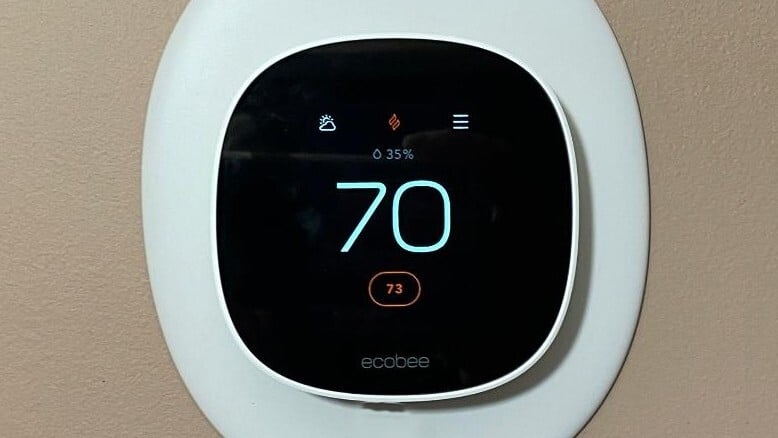
Walk up to your Ecobee and tap Main Menu > About > Wi-Fi. Scroll down until you see Signal Strength. You want this number to be at least 75%. If it’s hovering around 50% or lower, you have a dead zone.
Furthermore, look for the Ping statistic in that same menu. Ping measures how long it takes for a data packet to travel from the thermostat to the router and back. If your ping is wildly fluctuating or consistently above 100ms, your connection is unstable.
To resolve signal issues without ruining your home decor, consider moving a mesh router node closer to the hallway where the thermostat lives. Alternatively, check for interference. Cordless phones, older baby monitors, and even poorly shielded microwave ovens can blast interference across the 2.4 GHz spectrum. Moving your router just a few feet away from dense objects or electronics can drastically improve the signal reaching your thermostat.
Step 4: The WPA3 Security Protocol Trap
In the pursuit of better home security, router manufacturers have started rolling out WPA3, the latest Wi-Fi encryption standard. WPA3 is fantastic for keeping hackers out of your network, but it is notoriously hostile to older smart home gadgets.
If you recently upgraded your router and suddenly your ecobee keeps disconnecting from wifi, WPA3 is highly likely to blame. Even if your router is set to “WPA2/WPA3 Transitional” mode, the handshake process can confuse the Ecobee’s network adapter, causing it to drop the connection repeatedly.
Log into your router’s wireless security settings. If the security mode is set to WPA3 or a transitional hybrid mode, downgrade it to WPA2-PSK (AES). This is still a highly secure protocol for residential networks, and it offers universal compatibility with virtually every smart home device on the market.
Step 5: Investigate Power Delivery (The Hidden Culprit)
This is a secret that most basic troubleshooting guides miss. Sometimes, a Wi-Fi issue isn’t a Wi-Fi issue at all; it’s a power issue.
Your Ecobee receives its power from your HVAC system via the C-wire (Common wire), which delivers a steady 24 volts of alternating current (VAC). If your furnace control board is aging, or if the C-wire has a loose connection, the voltage can occasionally dip. When a smart device experiences a voltage drop, the first thing it does to conserve power is shut off its most power-hungry component: the Wi-Fi radio.
If you notice that your thermostat drops offline specifically when the AC kicks on, or when the furnace fires up, you have a power draw issue. The massive power draw of the HVAC motor is causing a momentary brownout on the control board.
Pull your Ecobee off the wall and inspect the wiring block. Ensure the C-wire is stripped properly and pushed firmly into the terminal. Give it a gentle tug to make sure it’s secure. If you used the Ecobee PEK (Power Extender Kit) because you didn’t have a C-wire, go down to your furnace and ensure the PEK is securely wired to the control board. If you suspect voltage drops, you may need an HVAC technician to test the output of your furnace’s transformer. Upgrading a failing transformer is a vital home improvement task that protects not just your smart thermostat, but your entire heating and cooling system.
The Lifestyle Impact of a Connected Home
Fixing your smart thermostat is about much more than just stopping an annoying error message. It ties directly into your overall health, wellness, and personal finance goals.
Consider your sleep health. Studies consistently show that sleeping in a cooler room (around 65 degrees Fahrenheit) promotes deeper, more restorative sleep. If your Ecobee disconnects and fails to run your nighttime cooling schedule, you wake up sweating, groggy, and entirely unprepared for the day. That directly impacts your productivity, your mood, and your work-life balance.
From a personal finance and budget tips perspective, a disconnected thermostat is literally burning your money. The entire point of eco-friendly living and smart energy management is utilizing features like Ecobee’s eco+ software. This software learns your routine, adjusts for time-of-use energy rates, and optimizes your HVAC run times. If the thermostat can’t reach the internet, it can’t download local weather forecasts or communicate with your utility provider. It reverts to being a basic, “dumb” thermostat, completely derailing your sustainable living efforts and driving up your monthly utility bills.
When It’s Time to Replace Your Ecobee
I am a massive advocate for reducing zero waste and repairing electronics whenever possible. However, if you have separated your Wi-Fi bands, assigned a static IP, disabled WPA3, and verified your C-wire voltage, and your ecobee keeps disconnecting from wifi anyway, you might be dealing with a hardware failure.
Wi-Fi radios can degrade over time due to heat exposure—and ironically, thermostats are often mounted directly above heat registers or in sunlit hallways. If your thermostat is under three years old, reach out to Ecobee support. They can pull diagnostic logs from their end (if you can keep it connected long enough) and may authorize a warranty replacement.
If you are out of warranty, it might be time to upgrade. The newer Ecobee Smart Thermostat Premium features a significantly upgraded dual-band Wi-Fi chip that is far more resilient to network fluctuations than the older Ecobee3 or Ecobee4 models. Plus, the built-in air quality monitor is an excellent addition for anyone focused on holistic health and indoor environment quality.
Frequently Asked Questions
Does an Ecobee thermostat work without Wi-Fi?
Yes, an Ecobee will still function as a traditional thermostat if it loses its Wi-Fi connection. It will continue to follow the last saved schedule and will read the temperature from the wall unit. However, you will lose access to app control, weather data, remote sensors, and advanced eco+ energy-saving features.
How do I reconnect my Ecobee to a new Wi-Fi network?
To connect to a new network, walk up to the thermostat and tap Main Menu > Settings > Wi-Fi > Network > Select Wi-Fi Network. Choose your new network name from the list and enter your new password. If the network doesn’t appear, ensure your router is broadcasting a 2.4 GHz signal.
Why does my Ecobee say “Offline” in the app but works on the wall?
This happens when the thermostat loses its connection to Ecobee’s cloud servers, either due to a local Wi-Fi drop or a server outage on Ecobee’s end. The physical unit still has power and can control your HVAC system locally, but the mobile app cannot communicate with it until the internet connection is restored.
You may also like
Leave a Reply